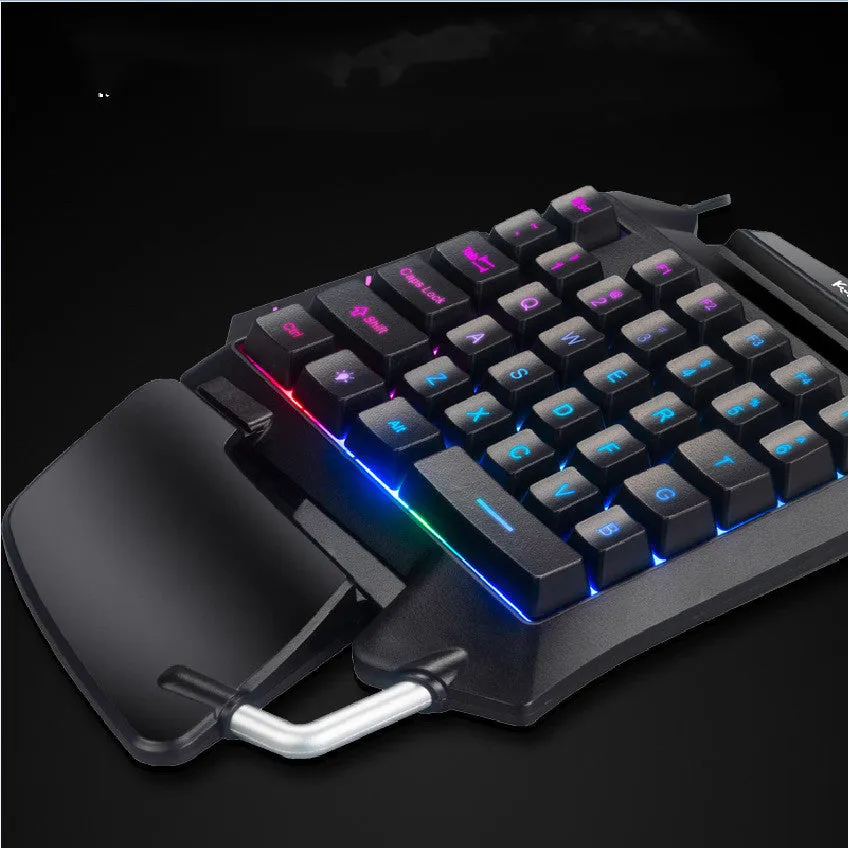
Mobile gaming keyboard left-hand one-handed throne converter with small keyboard layout for desktop PC gaming including PUBG Fortnite shooter eat chicken games featuring USB connection black colour non-mechanical construction


Mobile gaming keyboard left-hand one-handed throne converter with small keyboard layout for desktop PC gaming including PUBG Fortnite shooter eat chicken games featuring USB connection black colour non-mechanical construction
Left-hand one-handed gaming keyboard throne converter for desktop PC mobile gaming

Designed to bring mobile gaming control schemes to the desktop environment, this one-handed keyboard provides a dedicated left-hand input device for popular titles such as PUBG and Fortnite. Its specific 'throne converter' layout aims to replicate the touchscreen control feel of mobile 'eat chicken' games on a physical keyboard, offering desktop players a familiar and potentially more tactile experience. The compact, small keyboard footprint is intended to maximise desk space while delivering the core controls needed for one-handed operation during intense gaming sessions.
Features and Construction

This gaming peripheral focuses on delivering essential controls through a simplified, purpose-built design. It connects seamlessly to standard desktop computers, requiring no specialised drivers or complex setup procedures.
Material and Build
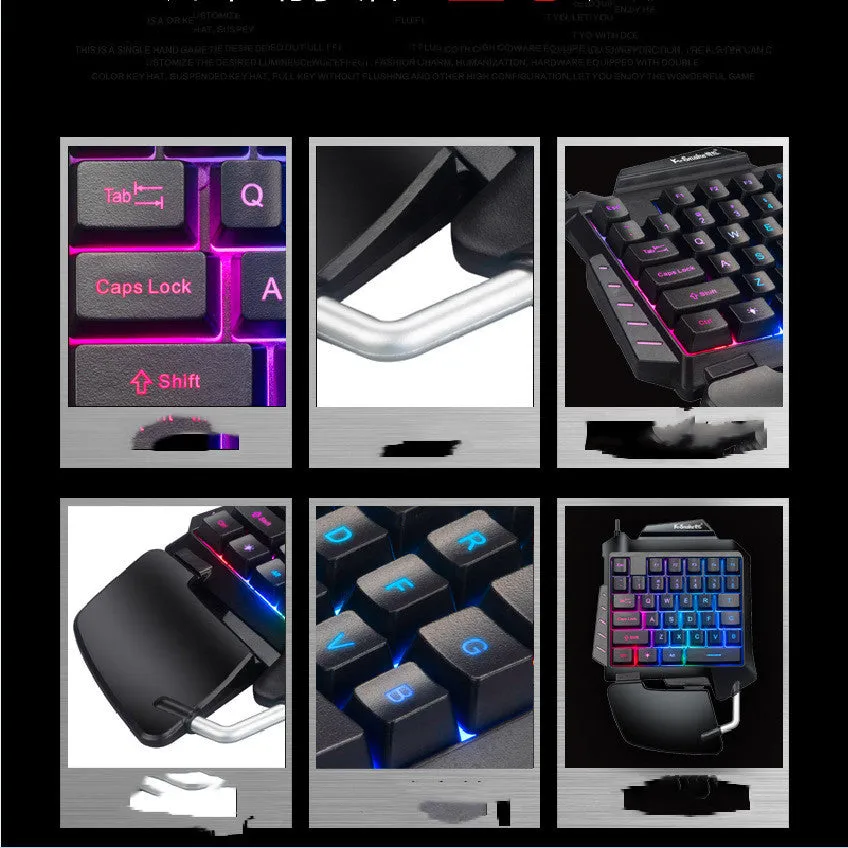
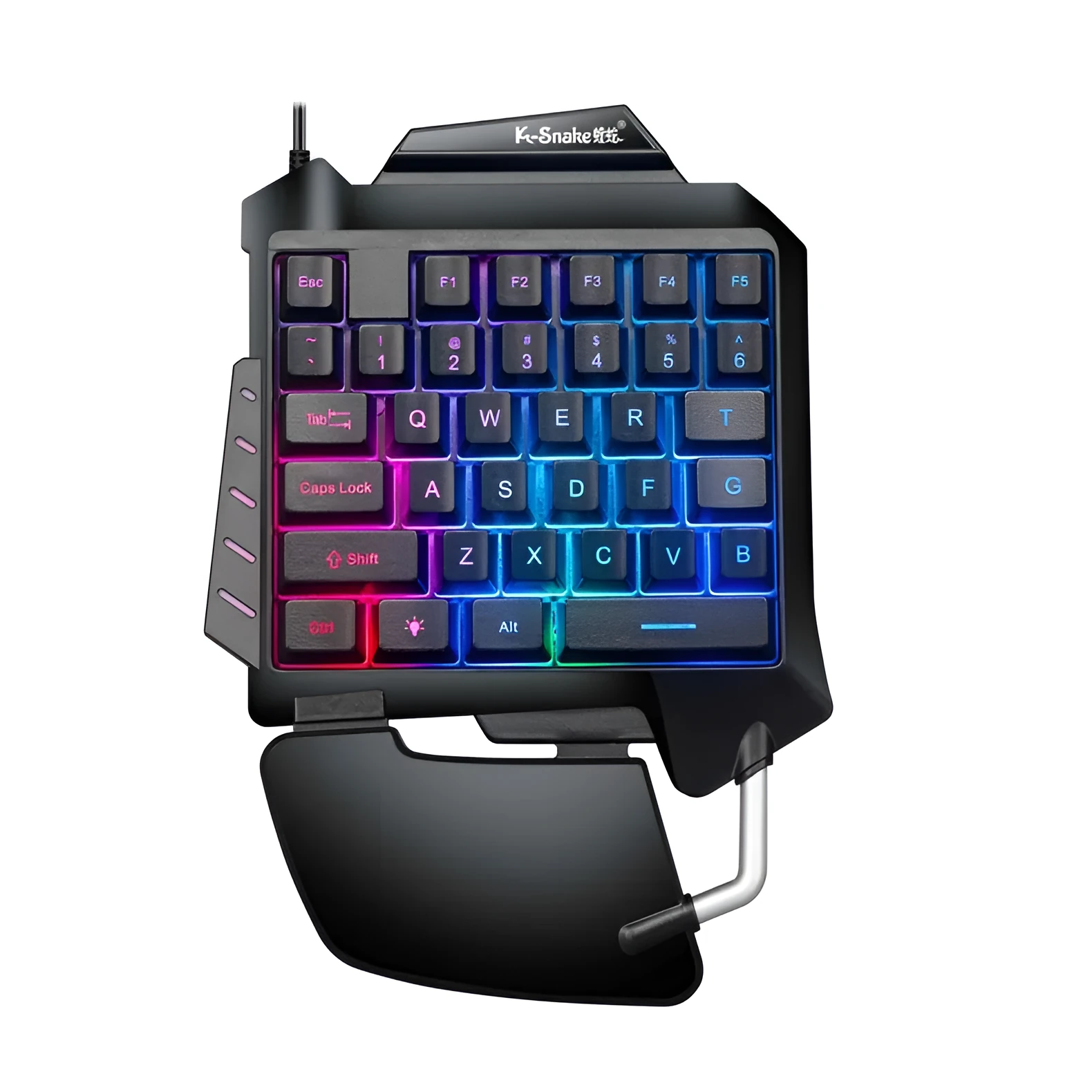
The keyboard is constructed as a non-mechanical device, utilising standard membrane or rubber dome key switches common in budget and mid-range peripherals. An integrated hand rest is included to provide wrist support during extended play. The finish is a standard black colour, as specified in the source options, offering a neutral aesthetic that fits most desktop setups. The build prioritises functional layout over premium material claims.
Size and Practical Fit
Described as a 'small keyboard', its compact layout is designed to occupy minimal desk real estate, leaving ample room for mouse movement. The one-handed, left-hand specific design places all necessary controls for movement, crouching, and inventory management within easy reach of the left hand. This layout is intended to improve ergonomics by reducing unnecessary hand stretching compared to using a full-sized keyboard for gaming.
Uses and Placement
This keyboard serves a specific niche: players who enjoy mobile-ported games on their desktop PCs but prefer or require a physical control interface.
Event or Professional Use
For streamers or content creators specialising in mobile-game content on PC, this device can offer a more engaging, physical control method that is visible on camera, unlike touchscreen inputs. Its inclusion of multimedia function keys and shortcut keys allows for quick actions like muting audio, adjusting volume, or capturing screenshots without leaving the game. The fast shipping option (1-3 days) mentioned in the source may be relevant for event organisers or competitors needing last-minute equipment.
Everyday Home Use
The primary use case is for the home desktop gamer who plays mobile-ported battle royale and shooter games. It provides a dedicated controller that can be used alongside a standard mouse for a hybrid control scheme. The USB connection ensures simple plug-and-play operation with most modern Windows PCs, requiring no additional software for basic functionality. Its design aims to reduce the learning curve for players accustomed to mobile interfaces.
Benefits and Buying Value
The value proposition centres on providing a specialised tool for a specific gaming scenario, rather than being a general-purpose keyboard.
Reuse and Low Maintenance
As a non-mechanical keyboard with a standard USB interface, it is designed for reliability with fewer moving parts than mechanical switches, which may translate to less maintenance over time. Its dedicated design means it is likely to be used consistently for its intended purpose, avoiding the wear and tear of a full-sized keyboard used for both gaming and typing. Basic care involves keeping it free of dust and spills, following standard peripheral cleaning practices.
Why Choose This Product
This keyboard is a practical choice for desktop gamers who specifically play mobile-ported titles like PUBG Mobile or Fortnite and want a physical control scheme optimised for that experience. It solves the problem of awkwardly mapping mobile touch controls to a full-sized keyboard by providing a layout built for the task. The inclusion of an integrated hand rest and shortcut keys adds to its utility as a gaming-focused peripheral. The shop's three-guarantee after-sales service, as mentioned in the source, provides a base level of purchase security.